If you don’t want to have your full-length blog post displayed on the blog posts page, you can use a post excerpt with a read more link instead! Here’s how to set that up:
- Go to Appearance >> Customize >> Theme Settings >> Content Archives
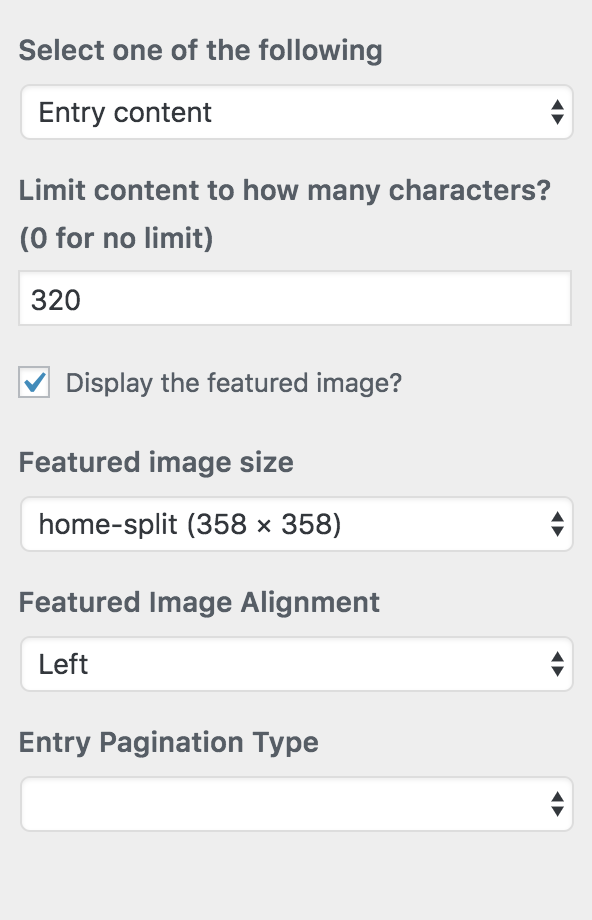
- Put a number in the “Limit content to how many characters?” box, like 320
- Check the box that says “Display the featured image?”
- Change the featured image size to “home-split (358 x 358)”, or any that you want!
- If you want the featured images to float left, make sure “featured image alignment” is set to “left”. If you’re using a full-width image size, choose “center”
- Click “Save & Publish” and you’re done!
Here is a visual: