
On the homepage, the first area is a home grid. It consists of three widget areas – Home One, Home Two, and Home Three. Here is a map:
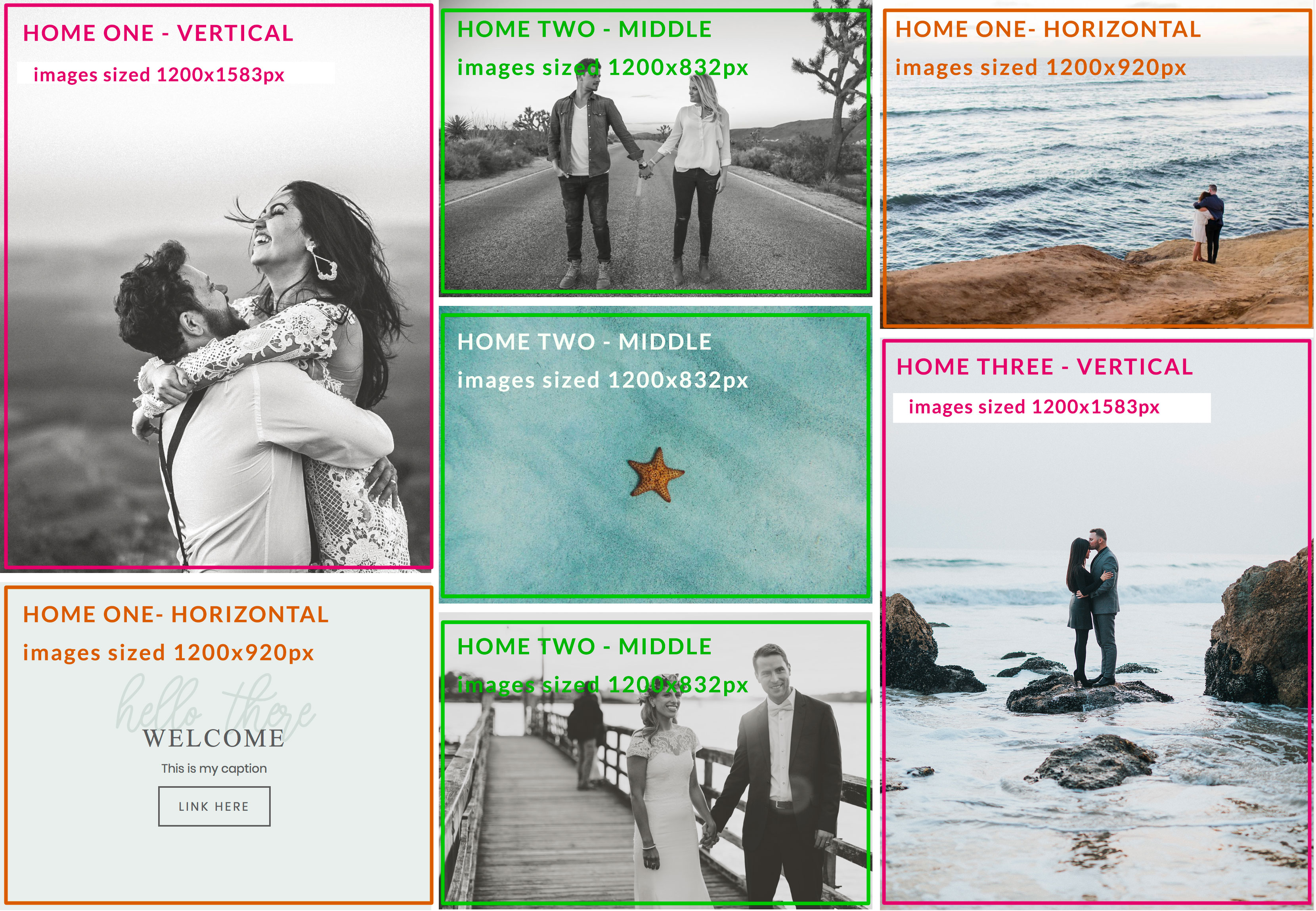
When you are done completing your grid, you should have the following number of widgets in each area:
- Home One: 2 widgets, one vertical, one horizontal
- Home Two: 3 widgets
- Home Three: 2 widgets, one vertical, one horizontal
Keep reading to learn how to set up the widgets.
Home 1 – Vertical, Home 3 – Vertical
For best results, make sure your images are sized 1200x1583px before you upload them.
You can use ONE of the following widgets in this area:
- Genesis Featured Page: choose ‘show featured image: home-vertical’ and ‘show page title’ for title overlay
- Genesis Featured Page: choose ‘show featured image: home-vertical’ and ‘show post title’. Make sure you have ‘content type: no content’
- Image Widget
- Soliloquy Slider: create a new Soliloquy slider with dimensions. If you don’t know how to use a Soliloquy slider, watch the video below.
Home 1 – Horizontal, Home 3 – Horizontal
For best results, make sure your images are sized 1200x920px before you upload them.
You can use ONE of the following widgets in this area:
- Genesis Featured Page: choose ‘show featured image: home-horizontal’ and ‘show page title’ for title overlay
- Genesis Featured Page: choose ‘show featured image: home-horizontal’ and ‘show post title’. Make sure you have ‘content type: no content’
- Image Widget
- Soliloquy Slider with caption: create a new Soliloquy slider with dimensions. If you don’t know how to use a Soliloquy slider, watch the video below. Special instructions to mimic our welcome message: upload an image that is a solid color (you’ll find the one we used in the images folder of the theme files) and add a caption with the following code:
<div class="CAP"><h3>cursive title here</h3>
<h4>title here</h4>
Caption here (keep it short, about one sentence)
<a href="URL here" class="CTA">button text</a>
</div>
Home 2 (Middle)
For best results, make sure your images are sized 1200x832px before you upload them.
You can use one of the following widgets in this area, then repeat 3 times so you have a total of 3 widgets in the Home Two area:
- Genesis Featured Page: choose ‘show featured image: home-two-middle’ and ‘show page title’ for title overlay
- Genesis Featured Page: choose ‘show featured image: home-two-middle’ and ‘show post title’. Make sure you have ‘content type: no content’
- Image Widget
Using Soliloquy Sliders
* Make sure you have Soliloquy installed & activated.
Slider Settings Info:
- Dimensions: 1200px by 1583px for vertical, 1200px by 920px for horizontal