
Change fonts with just a couple clicks! You can use any font in the Google Fonts library. You can also use any web safe font.
How To Use Custom Fonts
- Go to Appearance >> Customize >> Fonts to view the section.
Finding the Google Font URL
- You’ll need to grab this from the Google Fonts website. For each font you want to use, click the red plus symbol to add it to your collection:

- When you’re done selecting, click the black bar in the bottom corner of the screen to expand the window.
- Under “Embed” Font, find this section:
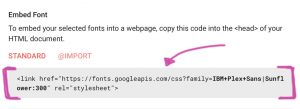
- You just need the URL. This is the part in quotes, starting with https://… (for example, https://fonts.googleapis.com/css?family=IBM+Plex+Sans|Sunflower:300). Highlight it and copy it.
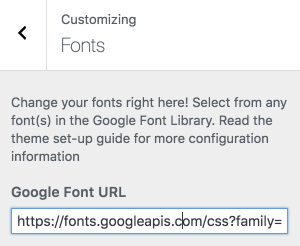
- Paste that URL into the “Google Font URL” box in WordPress. It should look like this:
Using The Fonts
Now, you just need to insert the font name into the section where you want to use it!
* Cursive font: we recommend keeping this one the same, unless you feel comfortable adding custom CSS to change the size!